


Weather
4.617.20K Reviews
App Specs
- Version
- 0.7.6.2
- Updated On
- License
- Free
- Downloads
- 100,000,000+
- Developer
- OneLouder Apps
- Categories
- Weather
- Platform
- Android
Screenshots
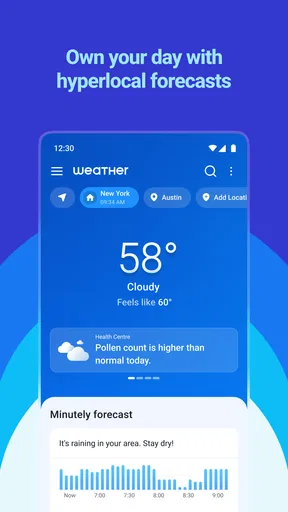
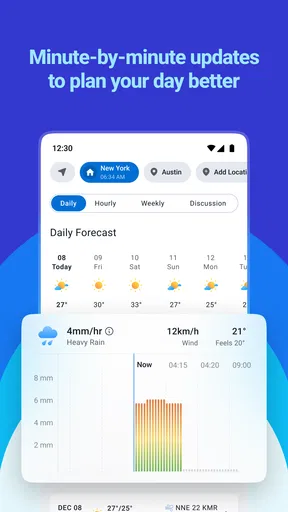
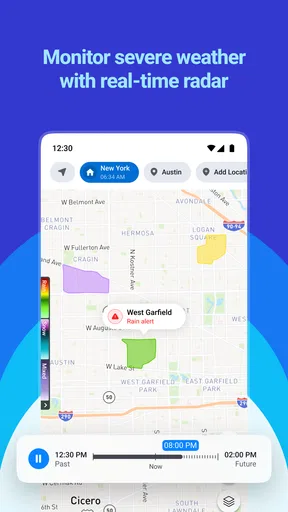
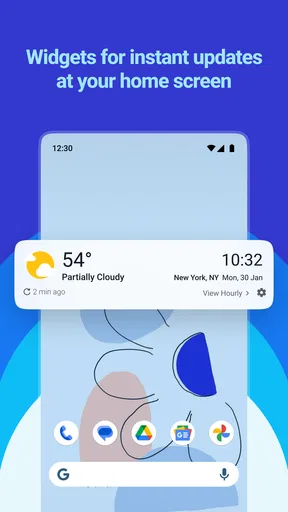
 Analysis by AppCompare
When I’m deciding whether to carry an umbrella or leave earlier for a wet commute, I want a forecast I can check quickly and use without turning the morning into a research project. That is the appeal of Weather: it is a free weather app from OneLouder Apps, and its focus is everyday forecast checking rather than a complicated set of tools. Its 4.7 average from around 199,000 ratings suggests that many people have found it useful, though a high rating cannot tell me whether its forecasts will be equally dependable in every location.
How it fits into an everyday forecast routine
I find a weather app most useful when it helps me make a decision, not merely when it gives me a screen full of conditions. With a hyperlocal forecast as its stated focus, Weather is intended to help users check conditions for the place that matters to them. That can be home before breakfast, a workplace across town, or a destination for a short trip. The practical test is whether its forecast answers the question I have at that moment: should I change what I’m wearing, leave earlier, or move an outdoor plan?
For a typical weekday, I would check the outlook before leaving and then look again if the day’s plans depended on changing conditions. That second check matters: a forecast is a guide, not a promise, and local weather can shift. I would use the app to inform a decision rather than treat a single prediction as certainty, especially when timing matters or the consequences of being caught in bad weather are more than a minor inconvenience.
Guides and Analysis on Weather
Who is likely to get the most from it
Weather makes the most sense for someone who wants a dedicated place to check conditions without needing a specialist forecasting workflow. If you often decide whether to walk, cycle, take public transport, or carry rain gear based on the day ahead, a focused weather app can be more convenient than searching the web each time. It may also suit people who check conditions in more than one place, such as someone comparing home with a work location before setting off.
On the other hand, I would not make it my only source for a high-stakes decision. Someone planning a long hike, working outdoors, or responding to potentially dangerous conditions should consult authoritative local alerts and use suitable specialist sources as well. A general-purpose app is convenient for routine planning; it is not a substitute for official warnings or sound judgement when safety is involved.
What its reach and price tell me—and what they do not
The app has more than 50 million installs, and its Everyone age rating makes it broadly suitable for general audiences. Those figures say something about reach and accessibility, but they do not guarantee that every feature suits every person or that local forecast quality is identical everywhere. Weather is free to download, while optional in-app purchases range from $1.99 to $34.99 per item. I would check the purchase details in the app before paying, and first decide whether the free experience already covers the way I use forecasts.
That distinction is worth keeping in mind when comparing it with a phone’s built-in weather display. A built-in option may be enough if all I need is a quick glance at the current conditions. I would consider a separate app when I want a more deliberate forecast-checking routine or prefer a dedicated weather destination. Whether that extra step is worthwhile depends on the information available in the version I use and how much detail I actually need.
Worth Reading Before You Choose

QuizzLand Review: A Good Fit for Short Trivia Breaks, Not Every Player

Basketball Stars: Multiplayer Is Fast, but Can It Recover When Matches Go Wrong?

WEBTOON Turns Phone Updates Into a Better Reading Routine

Link to Windows Runs on Shared Habits, Not Social Feeds

How Alibaba.com Dominates the B2B Marketplace

Metro's Quiet Rise: Redefining Mobile Communication
A practical way to judge a local forecast
Rather than judging Weather from one memorable forecast, I would compare what it predicts with what happens over several ordinary days in the places I visit. Notice whether the outlook is useful for your neighbourhood, whether its timing helps you plan, and whether it gives you enough context to make a decision. Keeping the comparison informal is still helpful: after checking the app, look outside and see whether the forecast is tracking the conditions you care about.
For a commute, I would check before leaving, then check again only if the plan is flexible and the weather could affect it. For an outdoor lunch or a weekend visit, I would use the forecast to choose a backup plan rather than assume the weather will follow one exact timetable. This small habit makes any forecast app more useful: it turns a prediction into a practical choice while leaving room for uncertainty.
How it compares with the usual alternatives
The common alternatives are already on your phone: a built-in weather panel, a search result, or a general forecast service you have used for years. Those can be perfectly adequate for a quick temperature check. Weather’s case is that a standalone app may make repeated checks feel more direct, particularly if its local outlook fits the locations and decisions you care about. I would not switch just because a separate app exists; I would switch if it helps me answer everyday questions more clearly than my current option.
There is also a trade-off between convenience and detail. A simple display is fast, while a more involved forecast view can help when I am arranging an activity around changing conditions. More information is not automatically better, though. If I find myself opening several screens without becoming more confident about what to do, the app is not saving me effort. My preference is to use the quickest view that gives a useful answer and reserve extra detail for days when the forecast could change my plans.
Released on February 4, 2023, Weather is currently at version 0.7.4.4, and it supports Android 7.0 or later. Those details establish the version and Android compatibility, but they do not by themselves tell me how the app has changed over time or what will arrive next. I would treat the installed version as the current product to assess, rather than assume that a particular feature or improvement is part of a future release.
Where I would be cautious
Forecast usefulness is local by nature. A result that feels reliable for one person may be less useful for someone in another area, so I would judge it against my own routine instead of relying on broad popularity alone. The app’s large audience and strong average rating are encouraging context, not a guarantee of personal accuracy. If the forecast repeatedly misses the conditions that affect my plans, I would compare it with another source rather than keep trusting it out of habit.
I would also be selective about paying for extras. Since individual in-app purchases can vary substantially in price, I would identify the specific benefit I want before buying and consider whether I would use it regularly. If a purchase does not solve a real problem in my routine, the free version—or a built-in alternative—may be the better fit. That is a more useful test than assuming that a paid option must produce a better forecast.
For people who want weather information tied to a particular professional task, a general app may not be enough. Outdoor workers, frequent travellers, and people planning activities where conditions have serious consequences may need more specialized sources or official guidance. I see Weather as a candidate for ordinary daily decisions, not a universal replacement for every forecasting tool.
First impressions
Upon opening the app, I was immediately impressed by its sleek design. The interface is clean, intuitive, and doesn’t bombard you with ads. It’s one of those apps where you feel like the developers actually care about user experience. The main screen gives you a quick snapshot of the current weather, and a simple swipe reveals more detailed forecasts.
Features That Stand Out
The Weather app isn’t just pretty; it’s packed with features. Here are a few that caught my attention:
- Hourly Forecasts: This feature is a lifesaver when you’re planning your day. The app provides detailed hourly forecasts, so you know exactly when that rain is going to hit.
- Radar Maps: I love how easy it is to access radar maps. It’s not just about seeing the rain clouds; you can track storms and even get a visual on upcoming weather patterns.
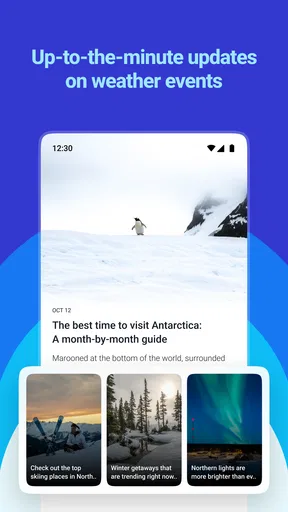
- Severe Weather Alerts: This is a crucial feature for anyone living in areas prone to severe weather. The app offers timely alerts, so you’re always in the know.
- Customizable Widgets: I’m a sucker for widgets, and this app doesn’t disappoint. You can customize widgets to display the information most relevant to you, right on your home screen.
Usability and Performance
The app runs smoothly without any noticeable lag. It’s lightweight, which means it doesn’t drain your battery or hog your phone’s resources. I’ve had it running on both Android and iOS with no issues, and the experience is consistent across platforms.
Personal Experience
After using it for a couple of weeks, I’ve found myself relying on the Weather app more and more. The accuracy is impressive, and I appreciate how it doesn’t overwhelm me with unnecessary information. It’s like having a personal weather station in my pocket.
Where It Could Improve
No app is perfect, and while the Weather app is fantastic, there are a few areas for improvement. I’d love to see more integration with smart home devices. Imagine your thermostat adjusting based on the weather forecast! Also, while the app provides detailed forecasts, adding a social sharing feature could make it even more engaging.
Final Thoughts
Overall, the Weather app has exceeded my expectations. It’s not just about getting the weather right; it’s about delivering it in a way that’s accessible and user-friendly. If you’re on the hunt for a reliable weather app that does more than just tell you if it’s raining, give this one a try. You might just find it’s the only weather app you’ll ever need.
Still curious? You can check it out and see if it suits your needs. Whether you're planning your daily commute or a weekend adventure, staying informed with the Weather app makes life a little easier.
What I would watch in future use
After installing it, I would keep an eye on whether the current version continues to suit my locations and whether any available updates change the experience in a meaningful way. Version numbers and release dates are useful reference points, but they are not proof of a particular improvement. I would look for changes that address an actual need—such as a forecast detail I regularly check—rather than treating a new version as a reason to change my routine automatically.
My recommendation is practical rather than absolute: try Weather if you want a dedicated app for everyday planning, then give its local forecasts time to prove their value. Keep your existing option around until you know which one is more useful where you live. If you need official warnings or specialized forecasting, pair it with the appropriate source. For ordinary decisions like what to wear, when to leave, or whether to make an outdoor plan flexible, it is a reasonable app to consider.
Pros
- Accurate real-time weather updates.
- User-friendly interface and design.
- Customizable weather alerts.
- Detailed forecasts for up to 10 days.
- Includes radar and weather maps.
Cons
- Ads can be intrusive at times.
- Some features require a subscription.
- Occasional loading delays.
- Limited offline functionality.
- Battery consumption could be improved.
FAQs for Weather
What features does the Weather app offer?
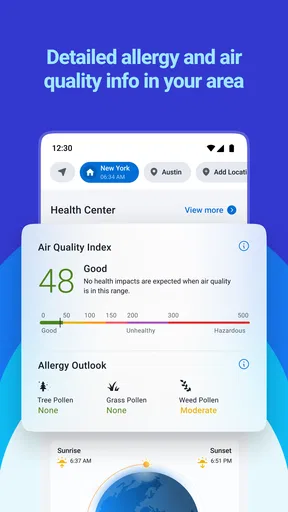
The Weather app provides real-time weather updates, hourly forecasts, and a 10-day weather outlook. It includes detailed information such as humidity, wind speed, UV index, and sunrise/sunset times. Additionally, users can receive severe weather alerts and customize notifications for specific weather conditions.
Is the Weather app free to use?
The Weather app is free to download and offers basic features at no cost. However, it may include in-app purchases or a subscription for premium features like ad removal, advanced radar maps, and exclusive weather insights. Be sure to check the app store listing for detailed pricing information.
How accurate are the weather forecasts provided by the app?
The Weather app sources data from reputable meteorological services to ensure high accuracy. While no forecast can be 100% accurate, the app uses advanced algorithms and real-time data updates to provide reliable weather predictions. User feedback generally indicates a high level of satisfaction with its forecast accuracy.
Can I customize the Weather app interface?
Yes, the Weather app offers customization options to tailor the user interface to your preferences. Users can select different themes, change the layout, and choose which weather details to display. This personalization enhances user experience by allowing you to focus on the information most relevant to you.
Does the Weather app require an internet connection?
The Weather app requires an internet connection to provide up-to-date weather information and forecasts. However, some data may be cached for offline access, allowing you to view the latest updates you received when you were last online. For the most accurate and timely information, a stable connection is recommended.


